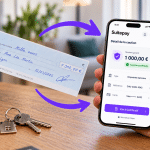
 Tenant trust centre

Received a security deposit request?
Your host or rental company has sent you a Suitepay request. Find out what you are approving, what happens on your card and how to check that the link is genuine.
100% secure deposits
Your deposit is processed by Stripe, one of the world’s leading online payment providers.
- Banking-grade standardsPCI DSS Level 1 encryptionstripe
- No card data seen or storedCard entered on StripeGDPR
- Payment approved by your bank3D Secure confirmationFrench company
Check that your link is genuine
Paste the link you received by email, text message or WhatsApp below. The check runs in your browser: nothing is sent.
What happens on your card
The type is shown on your request, on the “Guarantee type” line. Select it below: example with a card limit of €2,000 and a €500 deposit.
Card imprint
Nothing is blocked, nothing is charged unless there is damage · More about card imprints (in French)
Your card is securely saved and verified. No amount is reserved against your limit.
Your full limit remains available. The card is simply linked to the request.
The imprint ends. Nothing has been taken from your account.
Pre-authorisation
Amount on hold, never charged unless there is damage · More about pre-authorisations (in French)
The amount is reserved on your card, just like at a hotel. It is not charged.
The hold is renewed automatically to cover the planned period, for up to 3 months, under the consent you gave at payment.
The hold is released automatically at the end date. Timing depends on your bank.
Cash deposit
Amount charged, then refunded · More about cash deposits (in French)
The amount is taken from your account, like a traditional deposit.
The money is held for the whole rental period.
The amount is refunded to the same card. How quickly it appears depends on your bank.
How to place your deposit
Four steps, about one minute. No account to create, no app to install.
- 1
Open the link you received
Your host sends it by text message, email or WhatsApp.
In your messages - 2
Check the request
The host’s name, the dates and the amount are shown before you enter anything.
On app.suitepay.fr - 3
Enter your card
On the Stripe payment page, then confirm the transaction in your banking app.
On Stripe, then your bank All done
You receive a confirmation email with your deposit reference.
In your inbox
Who sees your card details?
Neither your host nor Suitepay. Your card is entered directly on Stripe, which only passes us a secure token.
| Your host | Suitepay | Stripe | Your bank | |
|---|---|---|---|---|
| Full card number | Never | Never | Yes | Yes |
| 3-digit security code | Never | Never | Yes | Yes |
| Name, email | Yes | Yes | Yes | Yes |
| Deposit amount and dates | Yes | Yes | Yes | Yes |
Frequently asked questions
Can’t find your answer? Write to us, we reply within one business day.
Can the host charge me for no reason?
No. If there is damage, the host must state a reason and can never charge more than the deposit amount shown on your request. If an amount is withheld, contact the host first; you then keep the dispute options offered by your bank. The applicable rules are detailed in our guide on damage in holiday rentals (in French).
Is Suitepay legitimate, or is it a scam?
Suitepay is a French online security deposit service used by hosts and rental companies to secure their rentals. Transactions are processed by Stripe and approved by your bank.
Scam attempts sometimes imitate the look of a payment link: before entering your card, check the address with the tool above. A genuine request always starts with https://app.suitepay.fr/.
When is a pre-authorisation released?
If there is no incident, the hold is released automatically at the end of the planned period, or earlier if the host releases the deposit. The money becomes available on your card again within a timeframe set by your bank, usually a few days.
My bank is asking for a code. Is that normal?
Yes. This is 3D Secure strong authentication, which is mandatory for online payments in Europe: your bank asks you to confirm the transaction in its app or with a text-message code.
Only enter this code in your bank’s window. Never share it by phone, email or message, including with someone claiming to be from Suitepay.
I don’t have enough money in my account
A pre-authorisation or cash deposit requires the amount to be available within your card limit. If the transaction is declined, you can use another card, ask your bank for a temporary limit increase, or ask your host whether they can offer a card imprint, which does not hold any amount.
I closed the page before finishing
Simply open the link again. If you received the confirmation email, your deposit is registered and the page will say so. Without a confirmation email, the transaction did not go through: you can start again from the beginning.
The link says “expired” or “already processed”
“Already processed” means the deposit has already been placed with this link: check your confirmation email. “Expired” means the request is no longer valid: ask your host for a new link.
Which payment methods are accepted?
CB, Visa and Mastercard bank cards, as well as Apple Pay depending on your device.
Unsure about a request?
Forward us the message you received: our Paris-based team will confirm whether it really comes from Suitepay.

Transactions on Suitepay are secured by Stripe, a licensed payment provider, in line with the European PSD2 regulation: 3D Secure strong authentication, PCI DSS Level 1 certification and end-to-end encryption.
Accepted payment methods



Copyright © 2026. All rights reserved.
Suitepay is a 100% 🇫🇷 solution, based and hosted in Paris, France